Online ERP and platforms → your database and web reports
An online platform shows data only in its own account, and exporting all of it is hard. ETL Sync collects sales, stock, products and customers via the API and writes them to your database. Then come our web reports: the whole network on one screen, in the browser and on the phone, plus a morning Telegram summary.
BILLZМойСкладiikoPosteramoCRMBitrix24Before → after
The platform's reports don't show what you need — back to Excel and manual exports.
All the data is in your own database — reports answer your questions.
Several stores or systems — numbers have to be combined by hand.
The whole network and every system — in one database and one set of web reports.
History lives only in the service account — leaving or comparing years is hard.
The full history builds up on your side and doesn't depend on the service plan.
How it works
- 1
Access key
An API key from the platform account — read-only.
- 2
History
From which date to load past sales — the program fetches them in parts.
- 3
Your database
Your own server or cloud storage on our server.
- 4
Web reports
Sales, stock, stores and sellers — in the browser and on the phone.
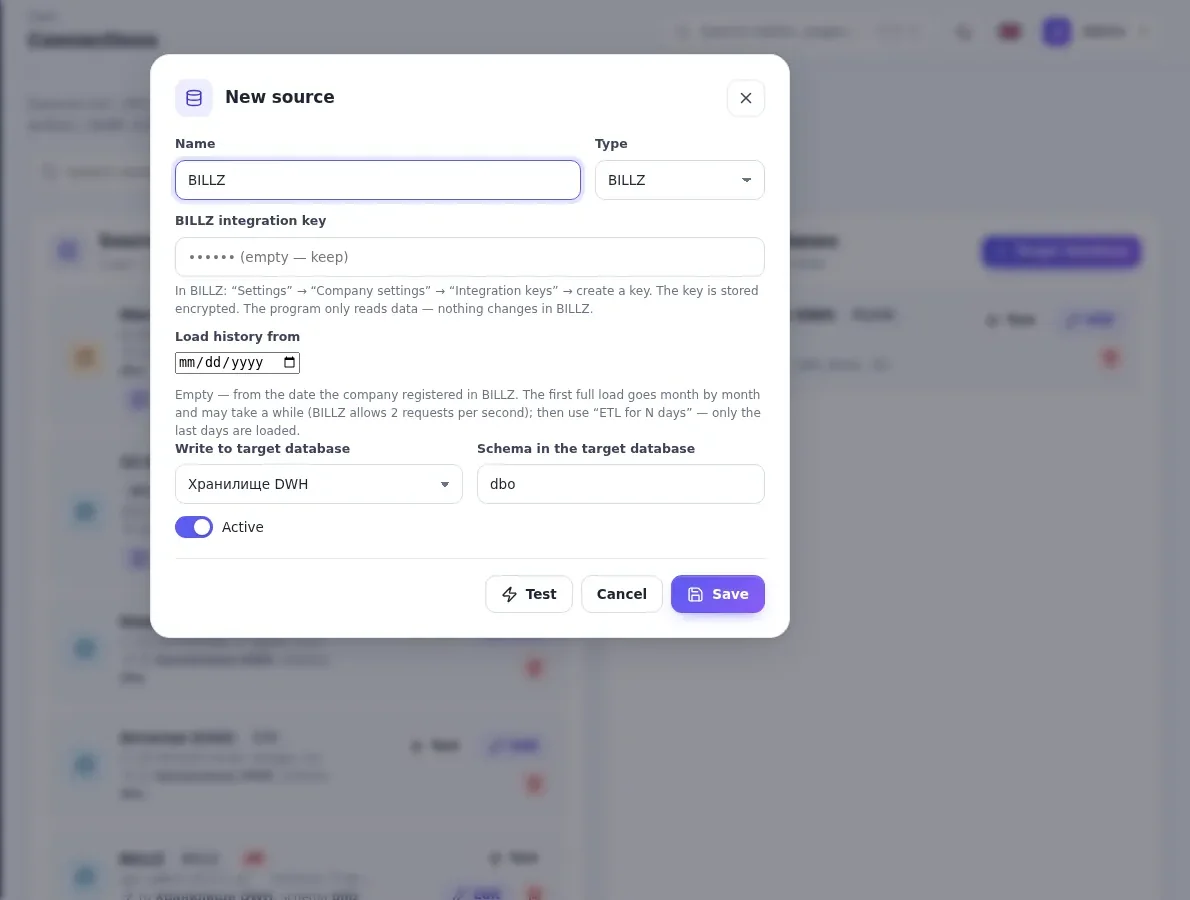
What it looks like in the program
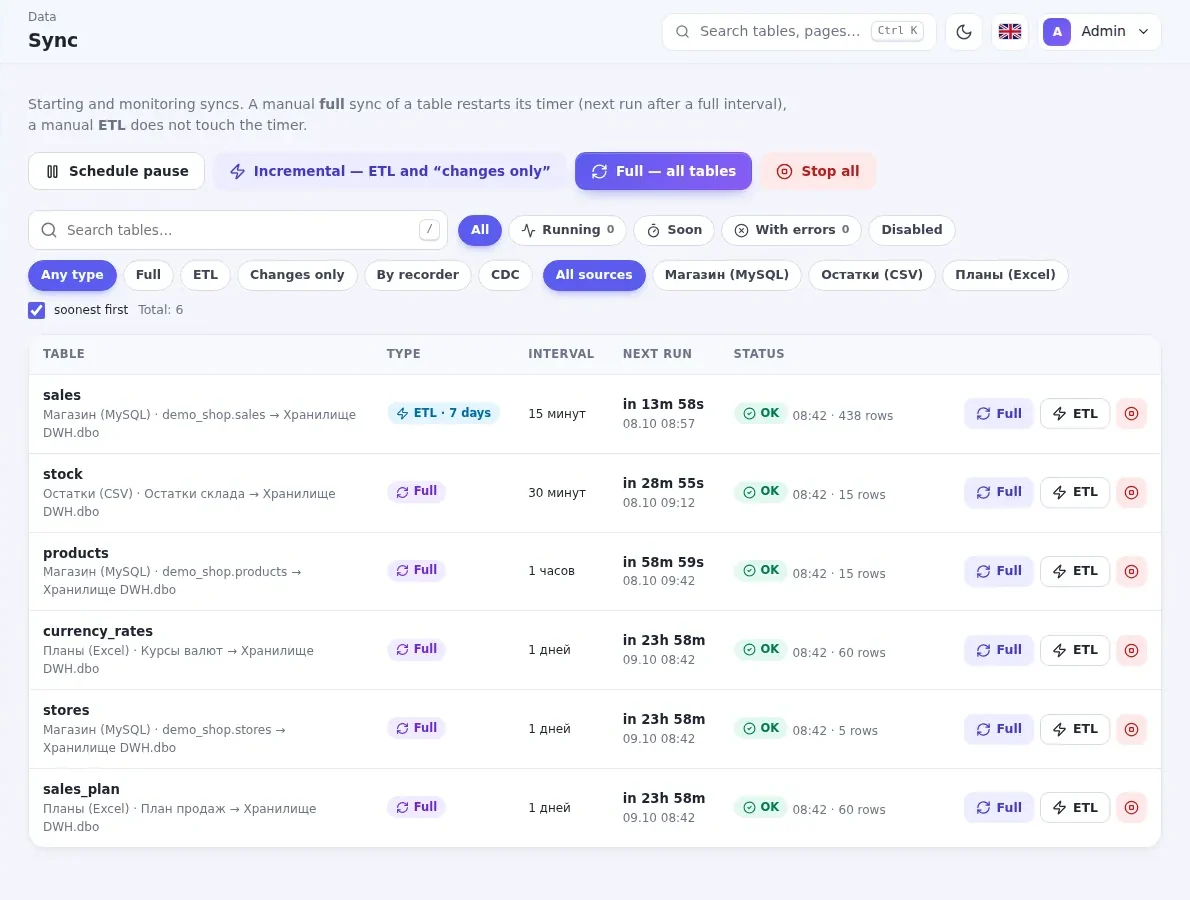
What you get
BILLZ — ready
A ready connector: sales, products, stock, customers, stores.
Other systems
MoySklad, iiko, Poster, amoCRM, Bitrix24 and others with an API — connected for you.
Fresh numbers
Refresh every few minutes, history in parts with no load.
Our web reports
Ready network dashboards: revenue, receipts, stock, sellers.
Read-only
A read-only key — nothing changes in the platform.
Telegram summary
Yesterday's sales by store every morning.
You decide where the program and data live
Usually the program is installed on your side — data never leaves the company. Don't want to install anything? We'll run it all on our server.
In your company
- The program on your computer or Windows server
- Warehouse — your MS SQL Server or PostgreSQL
- Data never leaves the company
- Pay only for the key — there is a free plan
On our server
- The panel opens in a browser over HTTPS
- Your own PostgreSQL database — from 10 GB
- Updates and backups are on us
- Monthly billing: key and storage, auto-renew
Frequently asked questions
Which systems connect already?
Do I need Power BI?
How much history can be loaded?
Where is the data stored?
Related articles
How to connect Power BI to 1C: 3 ways and which one to choose
Three ways to get 1C data into Power BI: Excel exports, a direct SQL connection and a separate warehouse. Pros, cons and what to choose.
ReadWhy 1C reports are slow and how to move analytics to a separate database
A yearly sales report takes minutes and accounting complains about freezes? Here are the causes and how to move analytics out of 1C into a separate...
ReadOther solutions
1C → your database with readable names
ETL Sync collects catalogs, documents and registers from the 1C database and writes them to your MS SQL or PostgreSQL database: Catalog.Products...
1С 8.2 / 8.3MS SQLPostgreSQLETL Sync Learn more MS SQL · PostgreSQL · MySQLFrom any database into a new one — fast and on schedule
ETL Sync collects tables from MS SQL Server, PostgreSQL, MySQL and other databases and syncs them into one new database: only changed rows, in...
MS SQLPostgreSQLMySQLMariaDB1С Learn more REST API · JSONAny website or service with an API → your database
Website orders, marketplace data, payment and any other services with an API — into your MS SQL or PostgreSQL database on schedule. API responses...
REST APIJSONMS SQLPostgreSQL Learn more Google Sheets · Excel · CSVGoogle Sheets and Excel — into SQL, by themselves
Sales plans, budgets and reference lists from Google Sheets, Excel and CSV go to MS SQL Server or PostgreSQL on schedule. Column types are...
Google SheetsExcelCSVMS SQLPostgreSQL Learn moreLeave a request
We will call you back within a business day, show the program and help you install it.